SecretScan
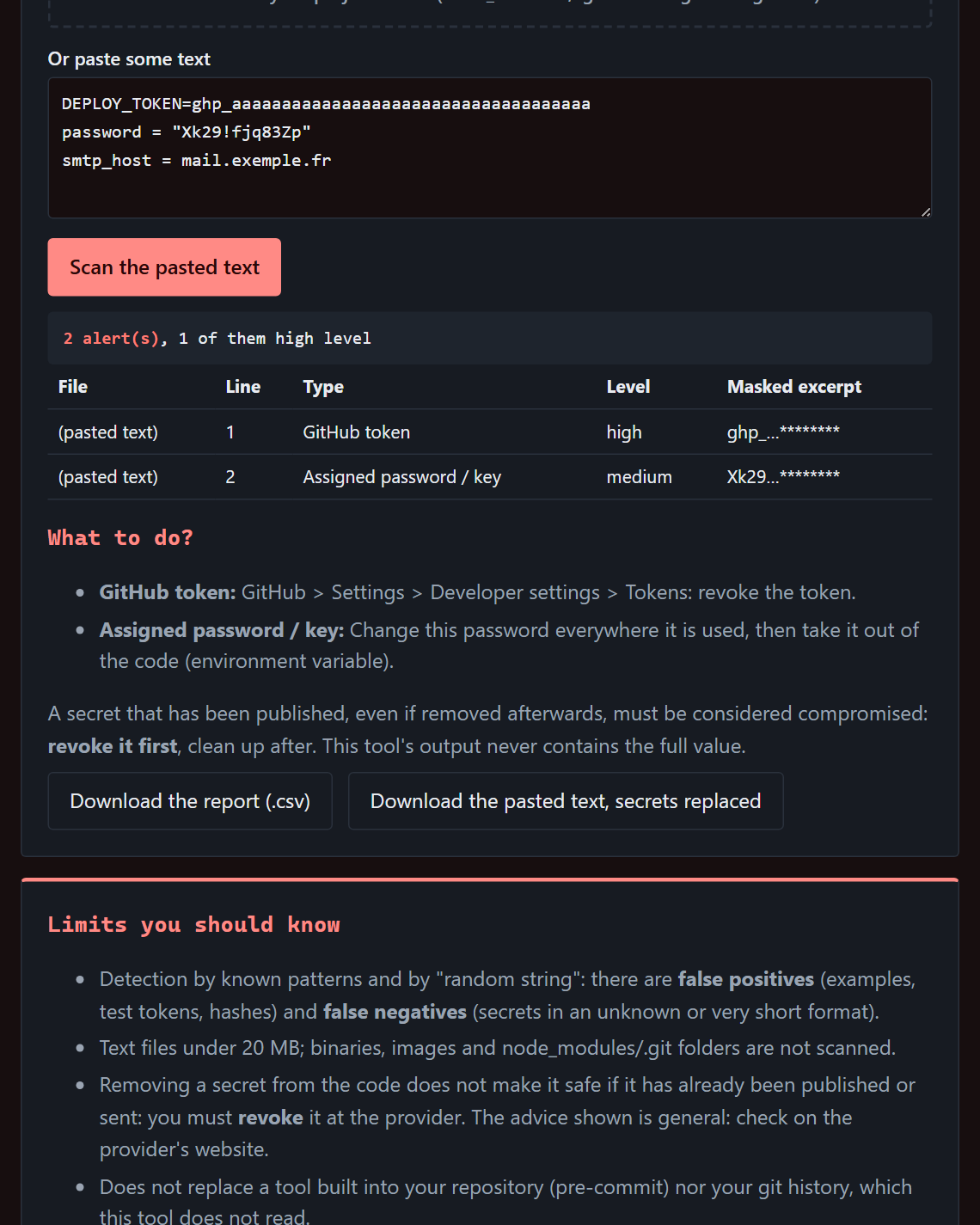
Before you publishFinds access keys, passwords and sensitive files left in a text or a folder, before you publish or send it. Values stay masked; replacement advice included.
€19Opening soon
Find a forgotten key, understand a rejected webhook, seal a folder, check an attachment. Each tool is a file that opens in your browser and works without a connection.
Each tool does one thing and does it well. It also tells you what it does not do.
Finds access keys, passwords and sensitive files left in a text or a folder, before you publish or send it. Values stay masked; replacement advice included.
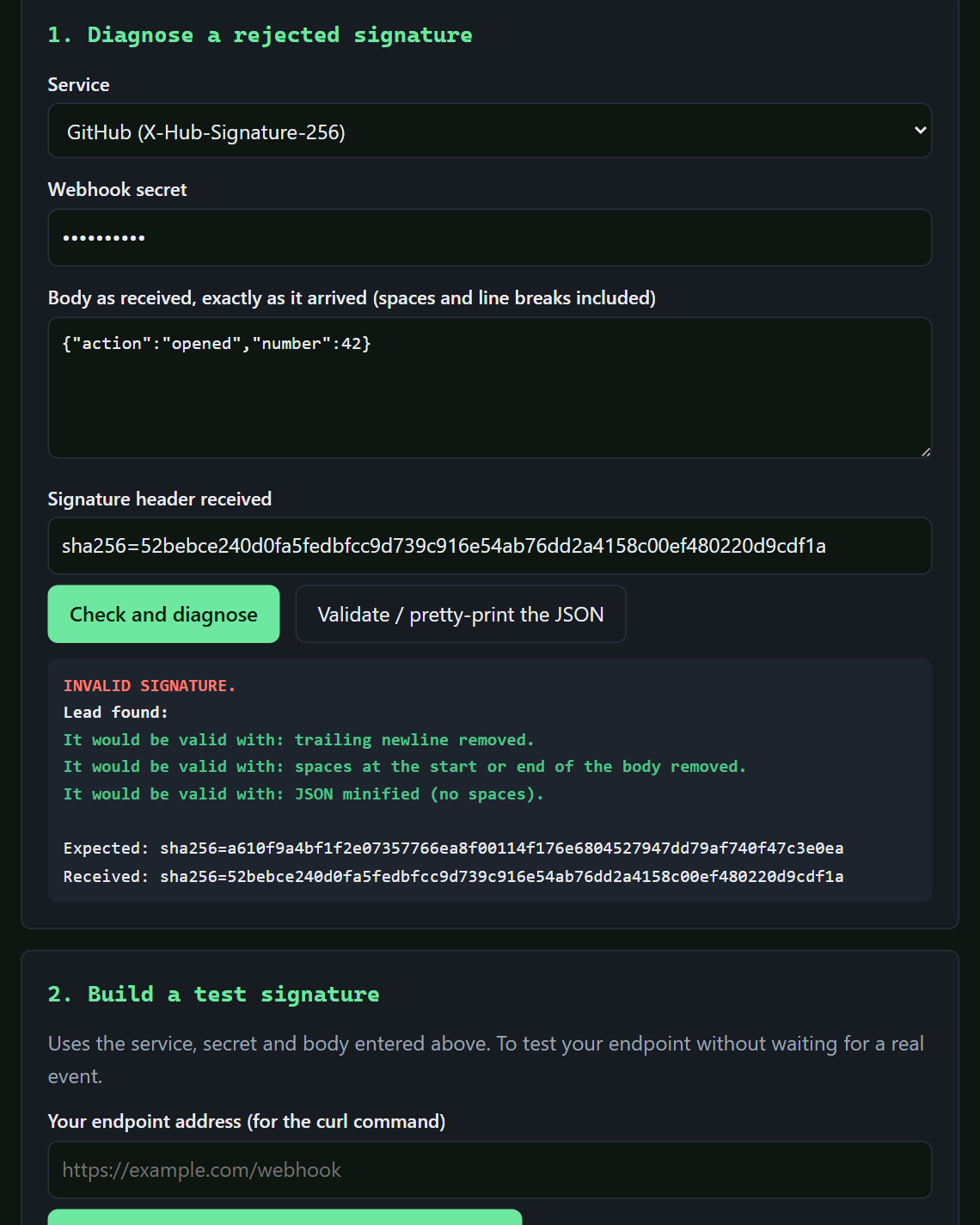
Checks a webhook signature (Stripe, GitHub, Shopify or generic) and explains why it is rejected: whitespace, line endings, reformatted JSON, wrong secret.
A webhook receiver you host yourself: signature checked, duplicates ignored, everything kept, forwarded with retries, replayed in one command.
For developers: Python 3.8 and a reachable machine.
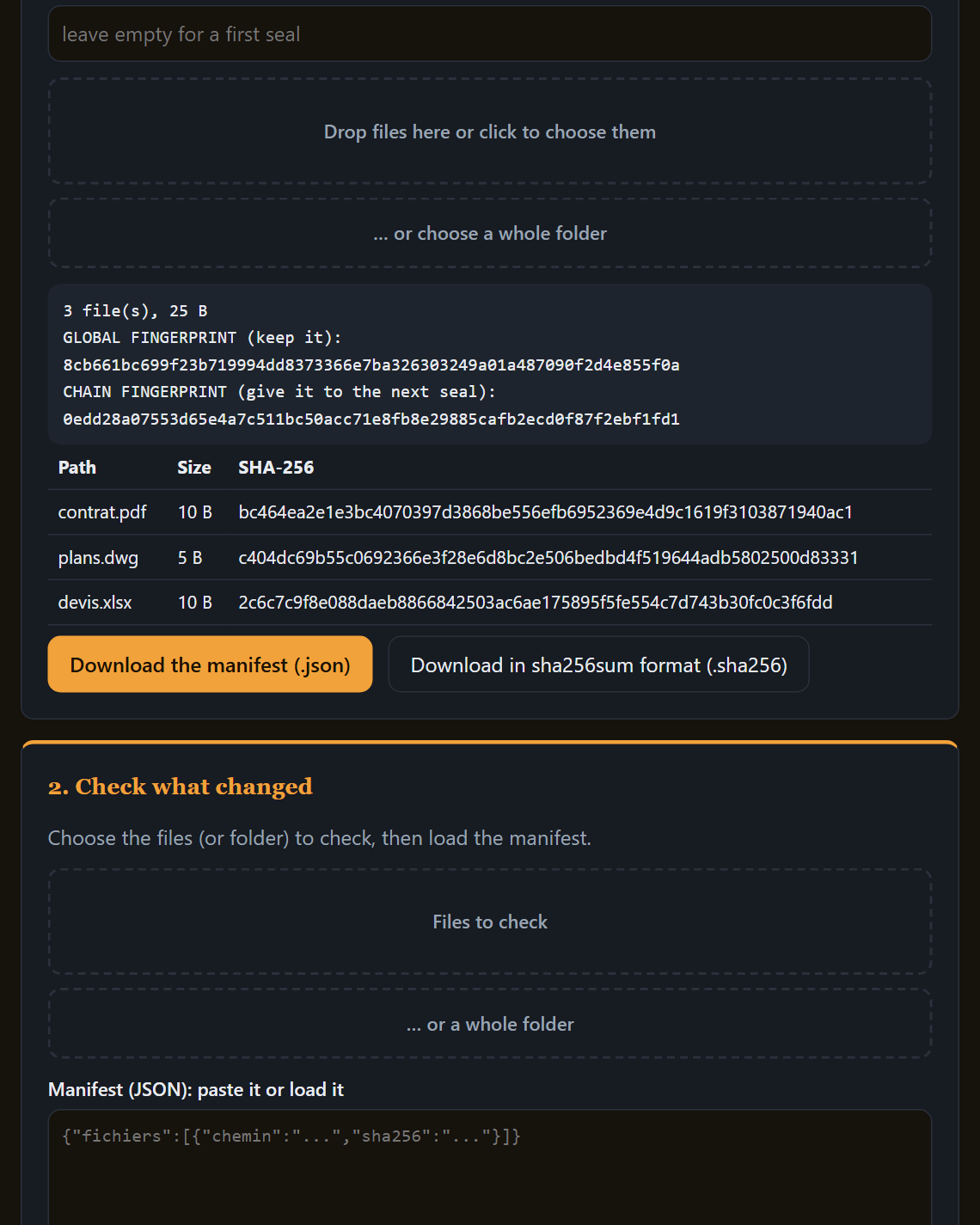
Seals a set of files or a folder: a manifest of fingerprints and an overall fingerprint. Later, it tells you what is identical, modified, missing or added.
Proves integrity, not a legally binding date.
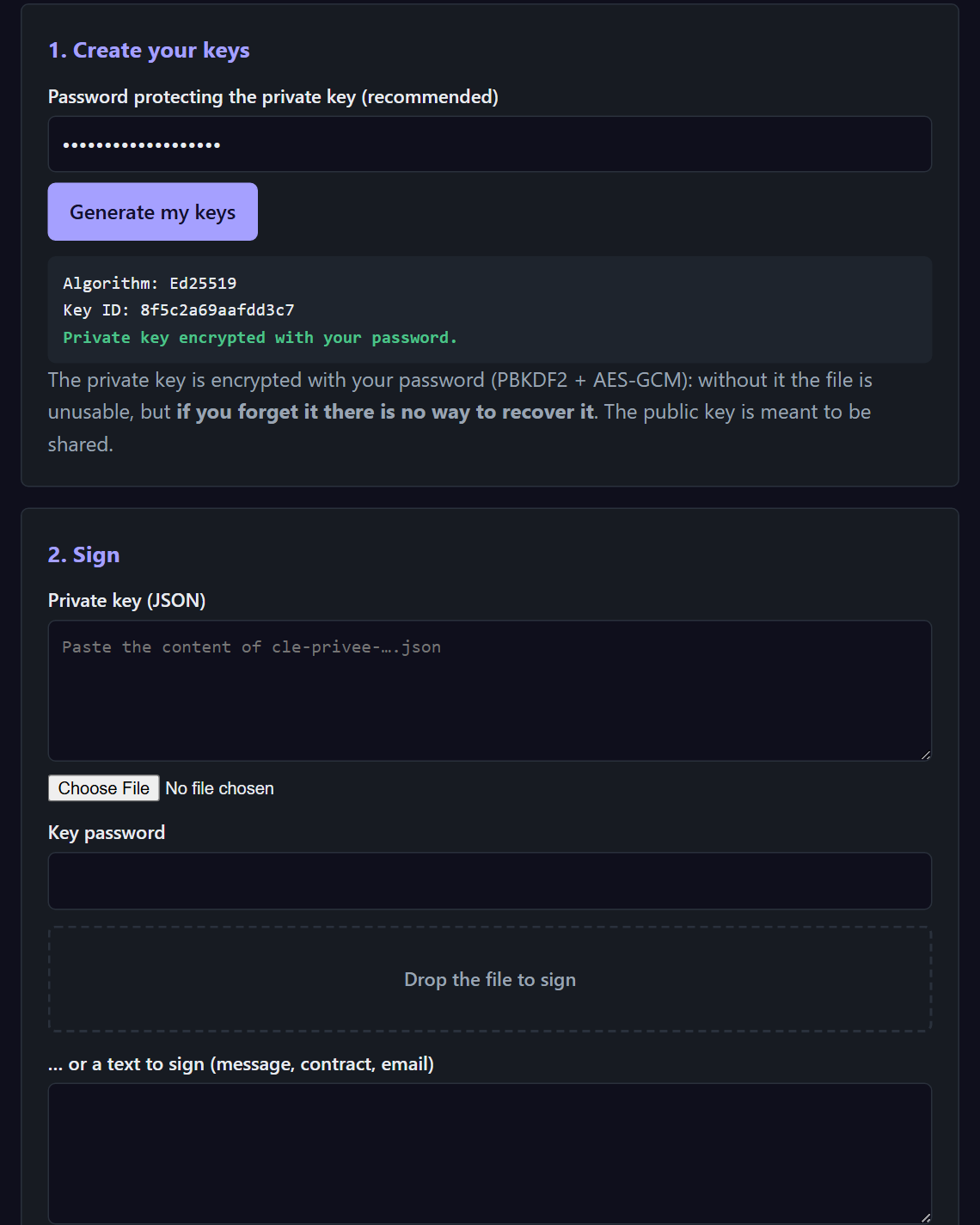
Signs and verifies a file or a text, with keys generated on your machine and a password-protected private key. No command line.
Not a qualified eIDAS signature.
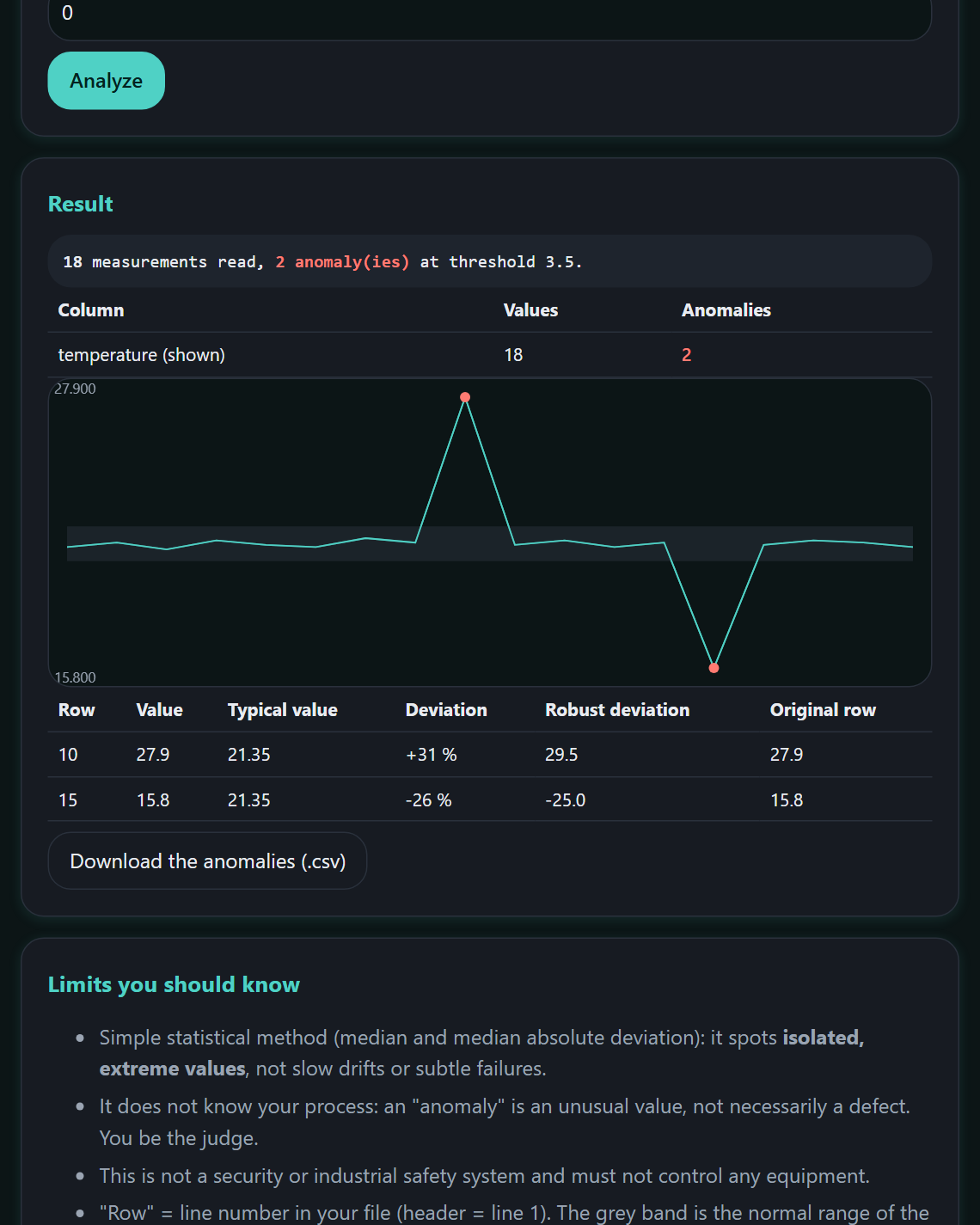
Drop in a CSV file: it spots abnormal values in each column, shows the typical value and the deviation, with a chart.
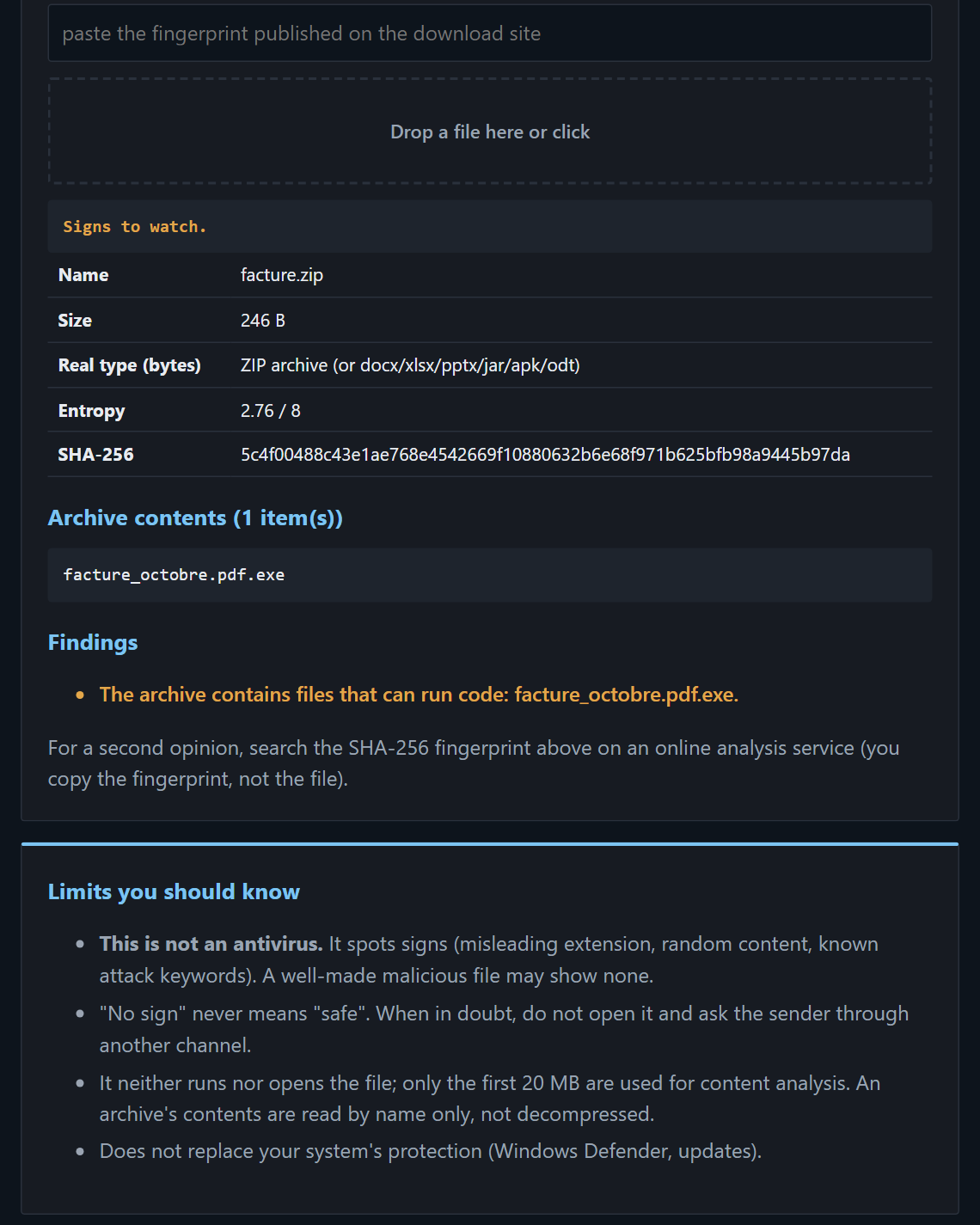
Before opening an attachment: misleading extension, archive contents, hidden executable, fingerprints to compare with the publisher's.
Gives clues; it is not an antivirus.
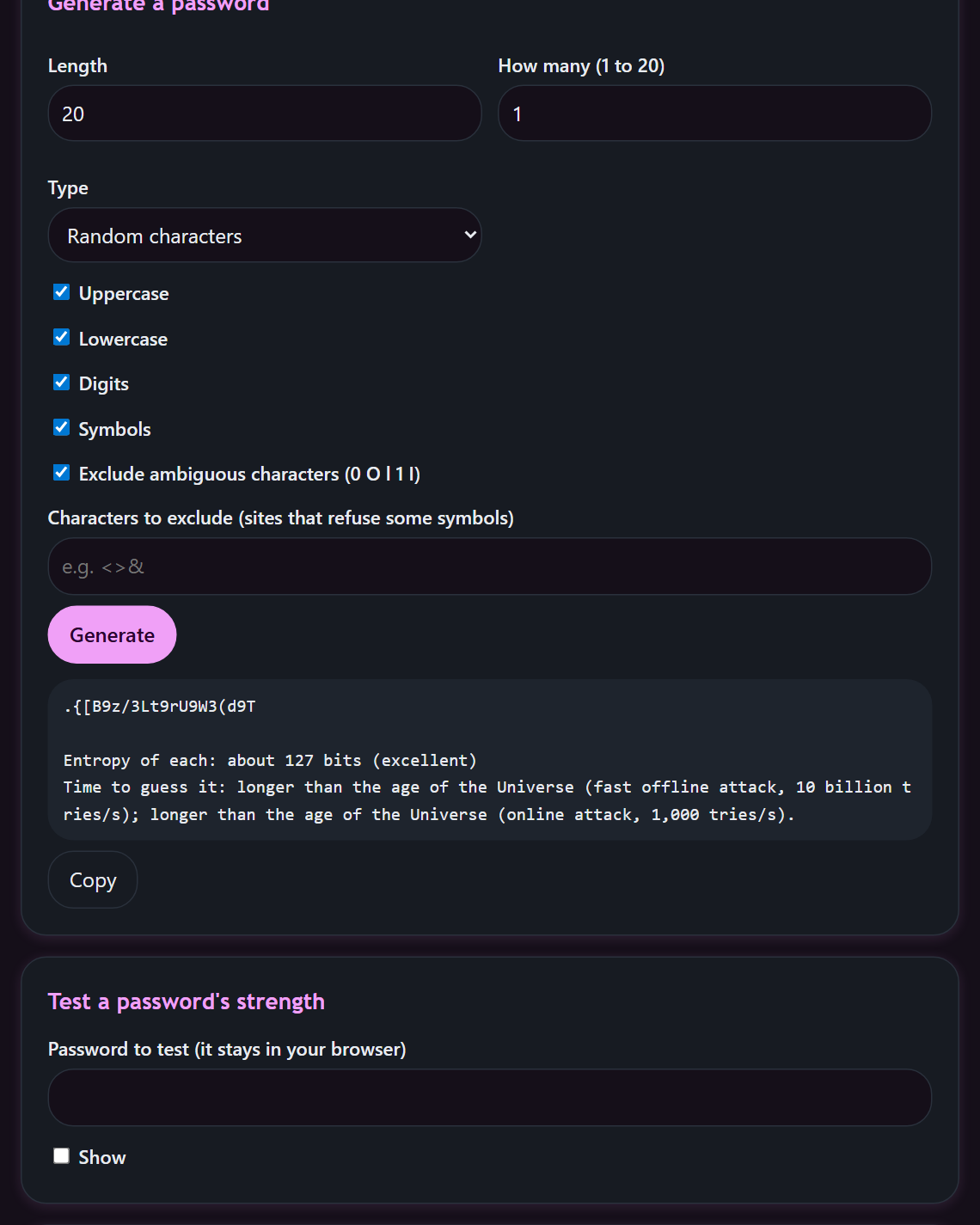
Generates passwords and passphrases with secure randomness, estimates the strength of an existing one. The breach check only runs when you ask for it.
Prices include VAT, one-off purchase per tool. Included: the version you buy and fixes to its bugs.
Each page explains the problem solved, shows the tool and states its limits.
One HTML file in English and French, with a read-me and the licence.
In Chrome, Edge, Firefox or Safari. No install, no account, no quota.
Each page forbids any connection itself. Even if we wanted to, the tool could not send anything.
<!-- Security policy of every tool -->
<meta http-equiv="Content-Security-Policy"
      content="default-src 'none'">

// The browser then blocks any way out:
fetch("https://…")            ✕ refused
new Image().src = "…"        ✕ refused
external fonts, scripts, iframes   ✕ refused
Because keys, passwords and sensitive files have no business on someone else's server. The file runs on your machine and the page forbids any connection.
One HTML file (English and French), a read-me and the licence. WebhookNinja Local is a Python program you host yourself.
No. One-off purchase per tool. The version you buy and fixes to its bugs are included.
Soon. Join the waiting list: one single message when they open.
Leave your e-mail and the tool you are interested in. One message when sales open, nothing else.